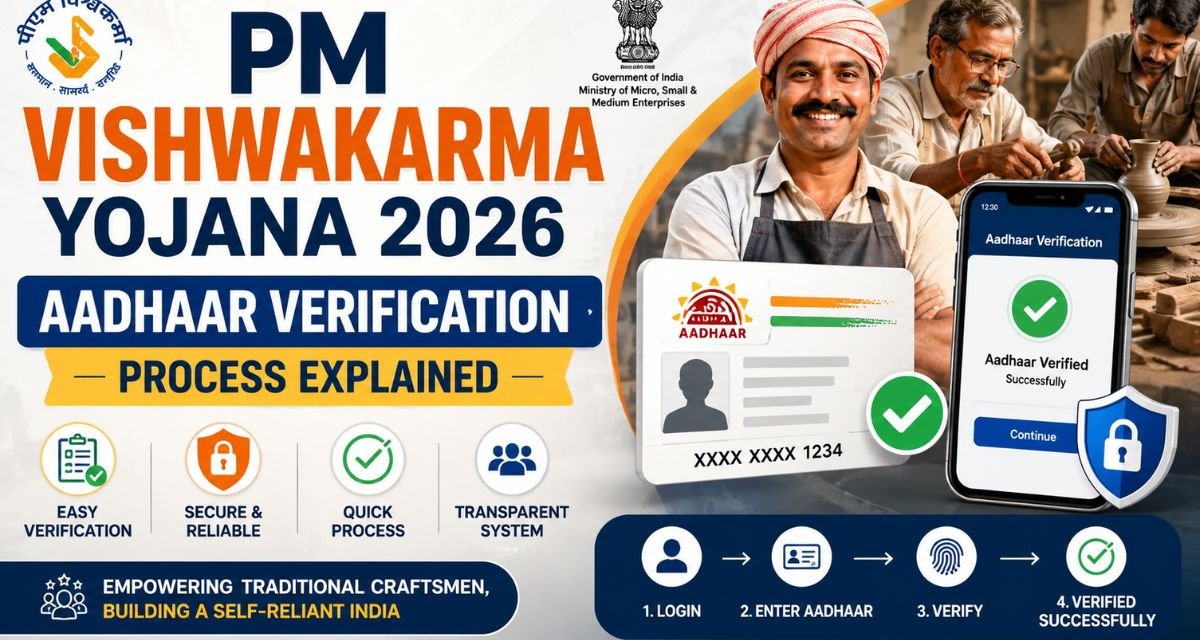
PM Vishwakarma Yojana: Aadhaar has become pretty much the go-to ID for a lot of things in India. It’s issued by the UIDAI and has a 12-digit number that’s unique for each person. These days, you need it to open a bank account, sign up for government benefits, grab a new SIM card, and plenty more.
So, here’s the deal: if you want your Aadhaar details to actually mean something, you’ve got to make sure everything’s accurate. That’s where verification comes in. It basically checks that you’re who you claim to be and that all your personal info matches up. Let’s keep it simple and walk through how Aadhaar verification works.
What is Aadhaar Verification?
It’s a step that confirms your identity using your Aadhaar details- no fluff, just a way to make sure the information is real.
Why is Aadhaar Verification Important?
Honestly, it matters for a bunch of reasons:
- It’s proof of identity, recognized all over India.
- If you want access to government schemes or benefits, Aadhaar verification makes sure you get them (and not someone pretending to be you).
- It cuts down on fraud and fake identities.
- And if you’re into online services like opening a bank account, getting a mobile connection, or applying for stuff, it makes the process way smoother.
Types of Aadhaar Verification
There are different types of Aadhaar verification methods. Each method is used based on the requirement.
1. OTP-Based Verification
This one’s pretty common and honestly, super easy. You get an OTP sent to your mobile number that’s linked to your Aadhaar. Just punch in the code and your identity’s confirmed. It’s quick, and people use it all the time for online stuff.
2. Biometric Verification
Here’s where things get a bit more secure. They use your fingerprints or scan your iris. Usually, banks, government offices, or Aadhaar centers rely on this because it’s tough to fake.
3. Demographic Verification
This method checks your personal info like your name, date of birth, and address. If the details match what’s in your Aadhaar records, then you’re good to go.
4. Face Authentication
This one’s pretty new. Your face gets scanned and matched with what’s already on file in the Aadhaar database. Some digital services are starting to use it; it’s all about making things even easier and safer.
Aadhaar Verification: How It Works?
First, you type in your 12-digit Aadhaar number, either online, on an app, or at a service center. Next, you pick how you want to verify; usually, it’s either by getting a one-time password (OTP) on your phone or scanning your fingerprint or iris. If you go with OTP, just enter the code you receive. If it’s biometric, scan your fingerprint or iris. The system then checks your details with UIDAI’s records and tells you right away if your Aadhaar is valid. That’s it quick and straightforward.
Checking your Aadhaar online is pretty straightforward. First, head over to the official UIDAI website. Find the section labeled “Verify Aadhaar Number,” punch in your Aadhaar number, fill in the captcha, and hit “Verify.” Right after that, the site tells you if your Aadhaar number is active and valid.
But there’s one thing people keep mixing up: Verification and authentication. They’re not the same. Verification just checks if your Aadhaar number is real. Just showing something isn’t enough to prove who you are. Real authentication goes further; it confirms your identity, like when you get an OTP or use your fingerprint. That’s why banks and other secure places rely on authentication instead of just simple verification.
Aadhaar Verification: What You Need
Honestly, you don’t need a lot for basic Aadhaar verification. Usually, all you have to bring is your Aadhaar card, make sure your mobile number’s registered, and maybe provide a fingerprint or iris scan if that’s needed. That’s it.
Where Aadhaar Verification Matters
Aadhaar pops up all over the place now:
- Banks ask for it when you open an account or go through KYC.
- Need a new SIM card? The telecom company wants to verify your Aadhaar.
- Government subsidies and pensions make Aadhaar checks part of the process.
- Tons of online services use Aadhaar OTP to confirm who you are when you log in.
- Even some schools and colleges use Aadhaar for student verification.
Why Aadhaar Verification Helps
It’s actually pretty convenient:
- The whole process is fast, usually done in seconds.
- It’s secure, thanks to biometrics and OTPs.
- It’s simple enough that anyone can get through it without much hassle.
- No pile of papers needed. Just your Aadhaar.
- And hey, it’s accepted everywhere in India.
Some issues
But sometimes things go sideways:
- If your mobile number isn’t linked to Aadhaar, you can’t get the OTP and the process stalls.
- Fingerprints or iris scans won’t work if there’s a tech glitch or scanning problem.
- Wrong info like a mismatched name or date of birth will throw a wrench in the works.
- The UIDAI server may slow down or drop out, which means you’re stuck waiting.
- That’s pretty much how Aadhaar verification plays out in everyday life.
Aadhaar Verification: Real Tips
Getting your Aadhaar verified doesn’t have to be complicated. Here’s what actually helps:
Make sure your mobile number is connected to your Aadhaar. If you change numbers, update it. Double-check that all your details are current, especially if you’ve moved or changed your name. When you’re entering information during verification, be careful typos can mess things up. For biometric verification, always go to authorized centers. And honestly, don’t hand out your Aadhaar info to people you don’t know or trust.
Is Aadhaar Verification Safe?
Yeah, it’s safe if you stick to the official, trusted platforms. UIDAI protects your data with solid security measures. Still, you’ve got to be smart about it. Never share your OTP with anyone. Go for official websites and apps, and stay away from public or shady Wi-Fi networks.
Why Is Aadhaar Verification Important?
It’s a basic, quick process that proves who you are. You need it for banking, government benefits, getting a new mobile connection, and more. Aadhaar is pretty much everywhere these days.
Thanks to OTPs and biometrics, verification is a breeze compared to the old paperwork routine. As long as you keep your details updated and follow some basic security steps, you’ll get through the process easily. Once you really understand how Aadhaar verification works, using services in today’s digital world feels a lot smoother and safer.