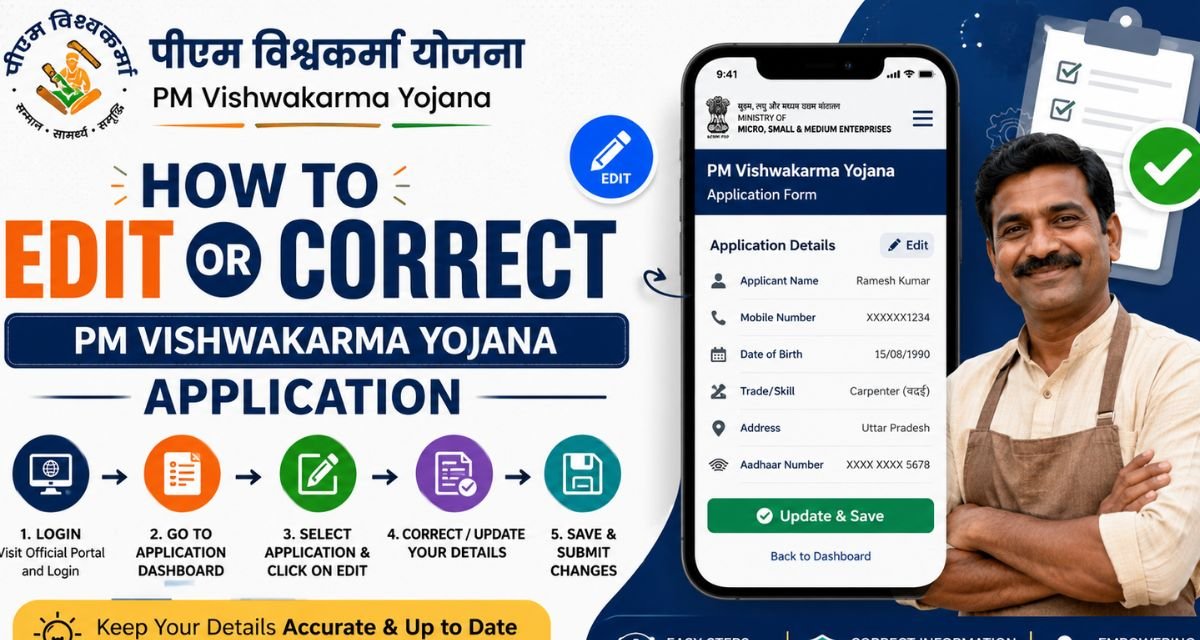
PM Vishwakarma Yojana 2026: The PM Vishwakarma Yojana is an important government scheme launched to support traditional artisans and craftsmen across India. This scheme helps skilled workers such as carpenters, tailors, blacksmiths, potters, barbers, and many others by providing financial assistance, training, and modern tools.
Sometimes, applicants may enter incorrect details while filling out the PM Vishwakarma Yojana application form. This may include mistakes in name, address, bank details, Aadhaar number, trade selection, or other personal information. If you spot any mistakes in your application, fix them fast. Waiting around just leads to headaches, whether that’s delays or straight-up rejection.
This guide breaks down how to update your PM Vishwakarma Yojana application without any fuss. Here’s why you might need to make changes:
Maybe you got your name’s spelling wrong, entered the Aadhaar number incorrectly, or slipped up on your mobile number. Sometimes, people select the wrong trade or profession, mess up the bank account details, or type in the wrong address. Even uploading the wrong documents or leaving things blank can trip you up. Honestly, even the tiniest mistakes can slow everything down. Take a minute to double-check your form for any mistakes before you submit it. Fixing things early makes the process way easier.
Can you edit your PM Vishwakarma Yojana application?
Yes, you can. How you do it depends on where your application stands. If it’s still under review, you can usually update your details online or through a Common Service Centre (CSC). If your application is already approved, you’ll probably have to go to a CSC in person or reach out to support for help. Honestly, the sooner you fix any errors, the better. It saves you a lot of trouble later on.
How to Edit PM Vishwakarma Yojana Application Online
Here’s how to edit your PM Vishwakarma Yojana application online:
First, head to the official PM Vishwakarma Yojana website. Don’t mess around with unofficial sites; stick to the government portal to avoid any risks. Next, log in. You’ll need your registered mobile number, an OTP, and possibly your application ID. Once you fill these in, you’ll land on your dashboard.
Look for “My Application” or “Application Status.” Tap that to see your application. If the system lets you make changes, you’ll spot an “Edit” or “Modify” button. Click it and update anything that’s wrong: personal info, trade details, address, bank details, or documents. Double-check everything before moving on.
When you’re done, hit “Submit” or “Update.” That’s it; your application gets updated. You’ll probably get a confirmation by SMS or email. If you can’t edit online, go to a Common Service Centre (CSC) near you. Bring your Aadhaar card, the mobile number you registered, bank details, and any documents you need. The CSC operator will walk you through the corrections. Once it’s fixed, they’ll give you an acknowledgment receipt.
Details You Can Correct in the PM Vishwakarma Application
You can usually fix these details in your application:
- Your name
- Father’s or husband’s name
- Date of birth
- Gender
- Mobile number
- Address
- Trade selection
- Bank account info
- IFSC code
- Document uploads
What you’ll need to make corrections:
- Aadhaar card
- Bank passbook
- Mobile number that’s linked to your Aadhaar
- Address proof
- Proof related to your trade (if the system asks for it)
- Have these documents ready before you start editing.
A few tips before you update your application:
- Go over every detail; you really don’t want mistakes
- Make sure names match exactly how they appear on your Aadhaar card
- Only upload clear, readable documents
- Use an active mobile number
- Double-check your bank info; one wrong digit can mess things up
- Keep your application ID safe; you’ll need it later
These steps make the process smoother and save you headaches down the road. So, what happens after you fix your application? Basically, officials take another look at it. Sometimes, they’ll verify your information. The approval process can take a while, so don’t expect instant results. You’ll get SMS alerts about any updates. Once everything’s approved, you qualify for benefits like training, financial aid, and toolkit support.
Now, let’s talk about common headaches when editing your application. You might notice the edit option missing, trouble logging in, not getting an OTP, or the website refusing to load. Sometimes your application’s already approved, and you can’t make changes. If you run into any of that, here’s what helps: waiting and trying again, clearing your browser cache, switching to a different device, visiting a CSC center, or reaching out to the helpline for support.
PM Vishwakarma Yojana Helpline Support
If you need help with editing your application, you can contact:
• Nearest CSC centre
• Official helpline number
• Local government office
• District industry centre
Support staff will guide you through the correction process.
Benefits of Correct Application Details
Correct details in your application help you:
• Avoid rejection
• Get faster approval
• Receive benefits on time
• Avoid verification issues
• Ensure smooth processing
Conclusion
Editing or correcting your PM Vishwakarma Yojana application is simple if you follow the right steps. Always review your application carefully before submitting. If you notice any mistakes, correct them as soon as possible. You can edit your application online through the official portal or visit your nearest CSC centre for assistance. Keep all documents ready and ensure that your details match your Aadhaar and bank information.
The PM Vishwakarma Yojana is a helpful scheme designed to support traditional artisans and craftsmen. By submitting accurate information and correcting mistakes on time, you can receive the benefits smoothly and without delay. Always stay updated with official announcements and track your application status regularly. This will help you complete the process successfully and take full advantage of the scheme.
Frequently Asked Questions (FAQs)
Can I edit my PM Vishwakarma application after submission?
Yes, you can edit your application if it is still under review. If approved, you may need to visit a CSC centre.
Is there any correction fee?
Usually, there is no fee for editing online. CSC centres may charge a small service fee.
How long does correction take?
Correction usually takes a few days, depending on verification.
Can I change trade after submission?
Yes, trade can be changed if editing is allowed before approval.
How to check application status?
Log in to the official portal and check the application status in the dashboard. This complete guide helps you edit or correct your PM Vishwakarma Yojana application easily and without confusion.